Dropbox · 2020–2021
Photos experience
A simpler way to keep your photos safe.
And find the moments that matter.
I led design across Dropbox’s photo strategy, Camera Uploads, and photo browsing—connecting the experience of backing up photos with the experience of coming back to them.
01 / Strategy
Photos were a big part of Dropbox.
But the experience needed attention.
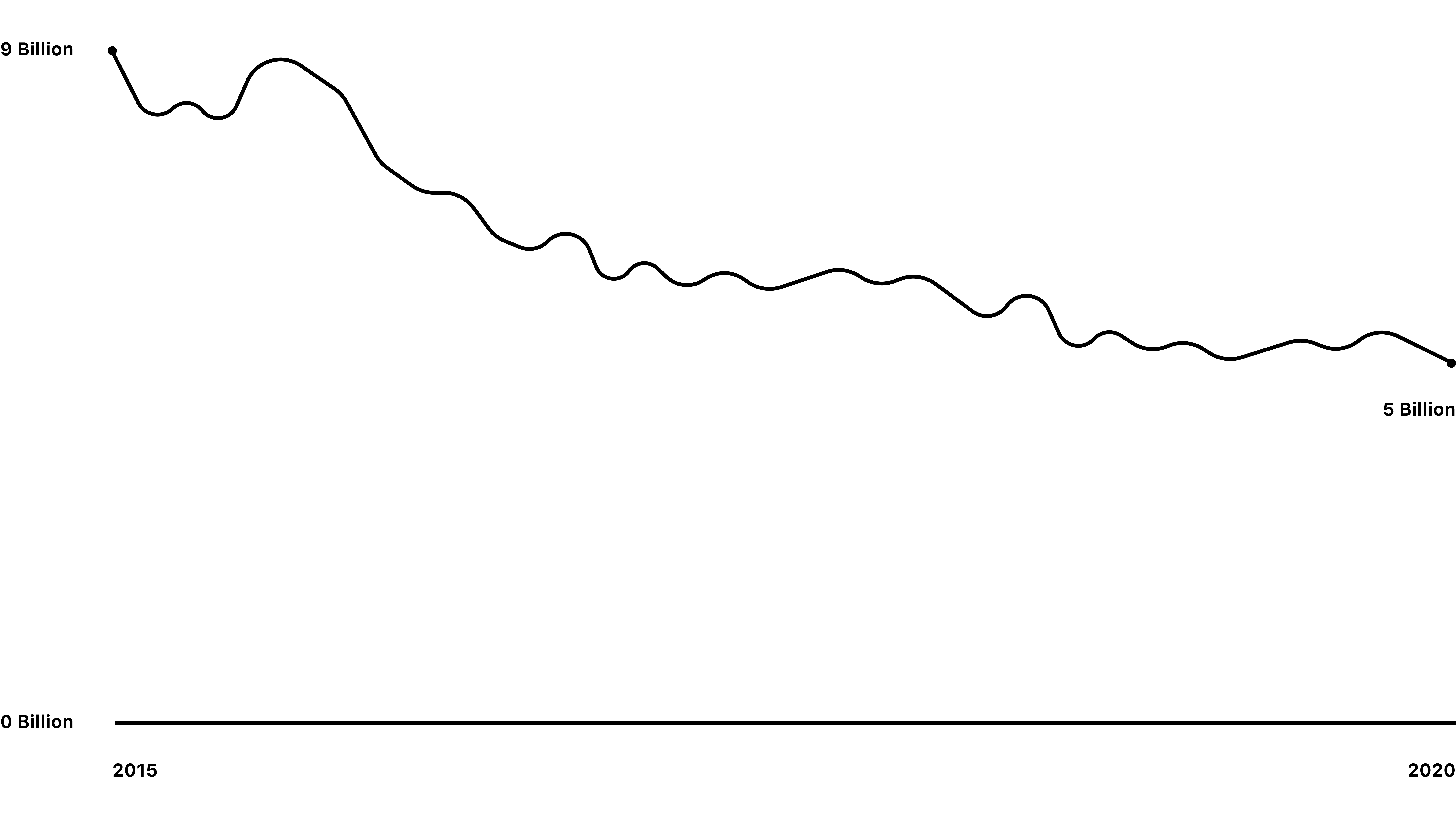
JPEGs and PNGs made up 35% of all files uploaded to Dropbox, and more than 40% of users uploaded them. Yet the number of photos being added had been declining since 2015.
We looked at the journey from bringing photos into Dropbox to browsing, organizing, and sharing them. The goal was to help more people turn on automatic backup and give them a reason to return to their photos each week.
Start with what Dropbox does well
Competitive research helped frame the opportunity around photos as files, security and privacy, and access across devices and platforms. We started with the first step in that journey: getting photos safely into Dropbox.
02 / Camera uploads
Make photo backup easier to find.
And easier to turn on.
In research, 9 out of 10 participants did not recognize Camera Uploads as the feature they were looking for. The problem began before setup.
The name was unclear
“Camera Uploads” didn’t clearly communicate automatic photo backup.
The entry point was hard to find
People weren’t sure where to go to enable the feature.
Setup introduced friction
Required settings and questions could leave uploads paused without people realizing it.
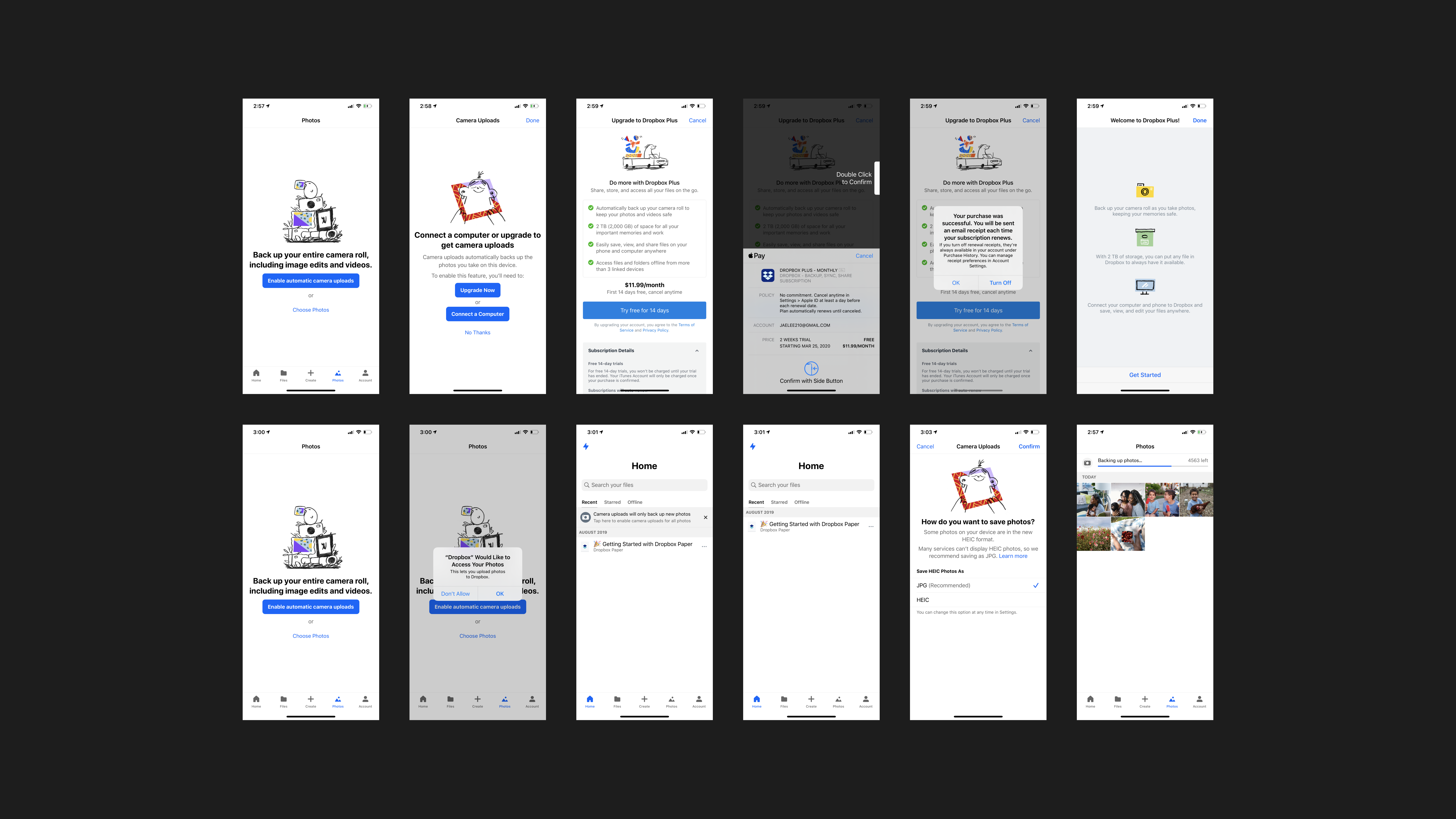
From ten steps to three
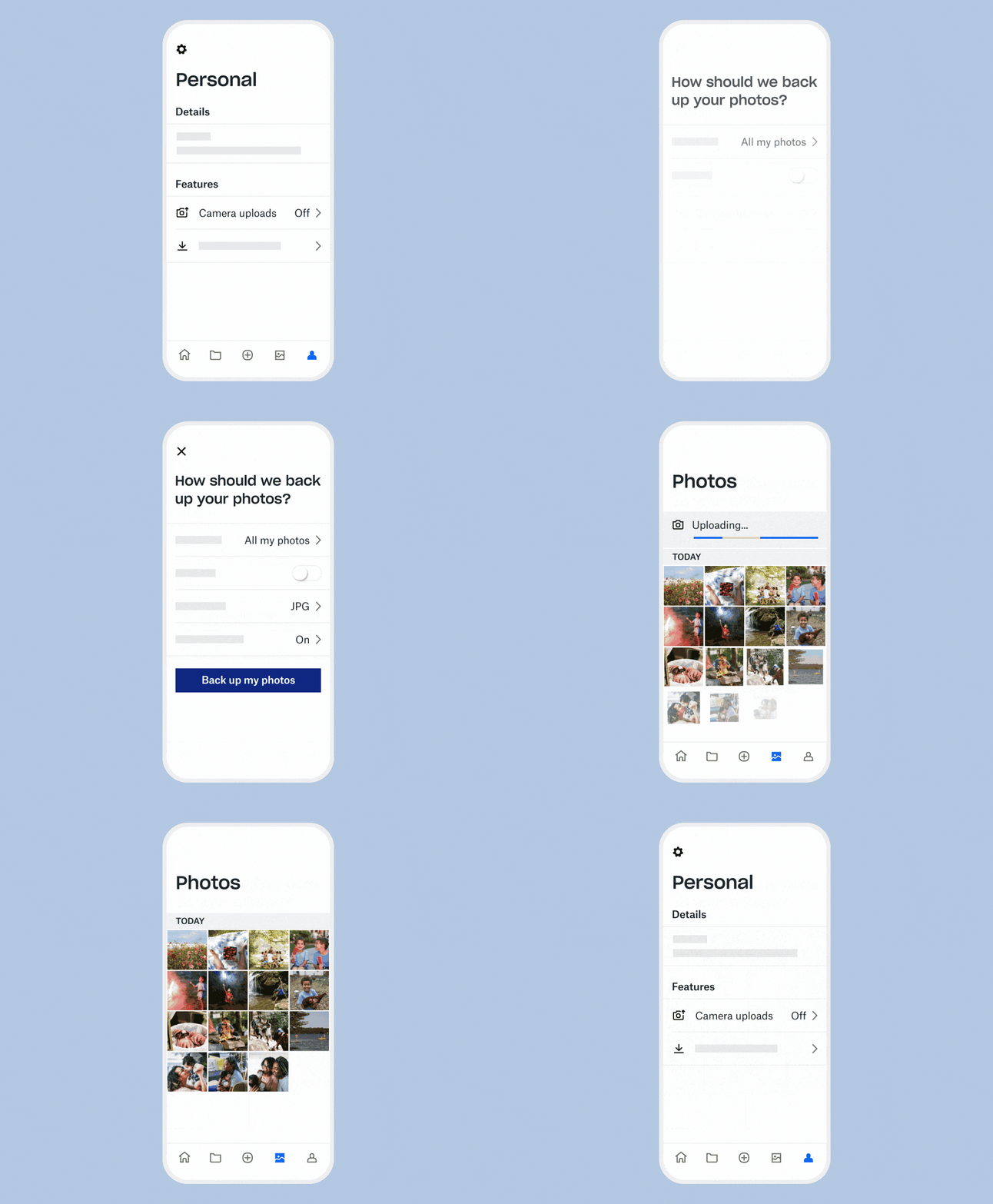
I led the redesign to make backup quick and straightforward, reducing the setup flow from 10 steps to 3 and bringing photo backup to Basic users.
View the redesigned Camera Uploads flow
- 50K
- users enabled Camera Uploads during the silent rollout
- 10 → 3
- steps to set up photo backup
- 1.68 GB
- average photo uploads per user
03 / Browsing
Bring the photos back into focus.
Once photos were backed up, people needed a better way to find them. Unorganized collections and duplicates made browsing difficult. I led design to help people find photos faster and keep their collections organized.
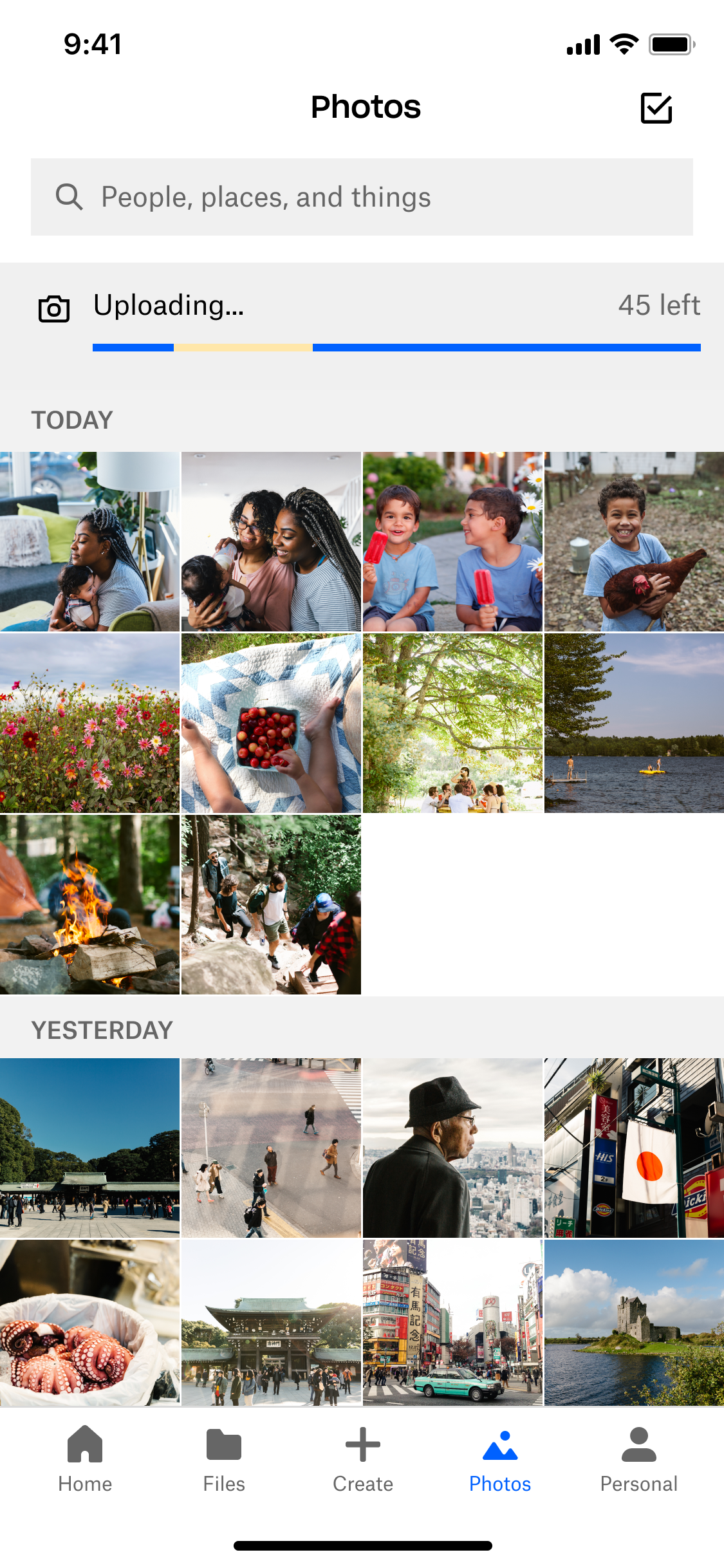
The Photos tab redesign aligned the page title with the rest of the app, introduced an entry point for filters, reduced noise from the sync banner, and replaced gray-striped section headers with a simpler hierarchy.
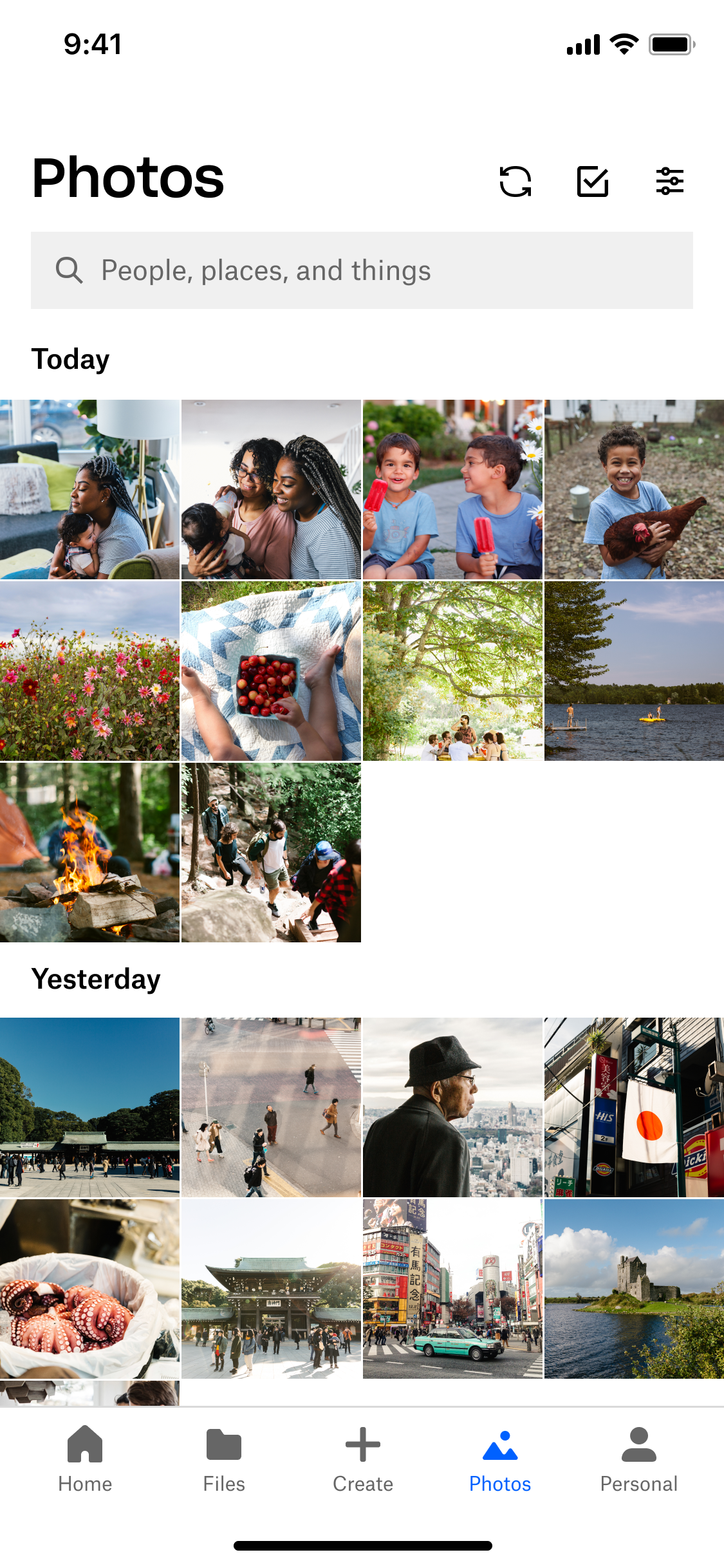
From the first backup to the next visit, the work focused on making Dropbox a more useful home for people’s photos.